Top four free programs to capture screenshot
April 16, 2009
For most web developers, programmers and bloggers taking screenshots is quite a common task. Sometimes you need the screenshot for your next post or article or just to send it to your tech help desk to troubleshoot a problem.
I have been using Snagit for several years and I really like the features it offers and its intuitive interface. Snagit is not a freeware, last I checked it costs about $50. But don’t worry there are quite a few alternatives to Snagit that offer similar features for free. Following are four free screen capturing software that I think are worthy substitutes for any commercial software in this category.
-
ZScreen:
ZScreen is a free , open-source screen-capturing software for Windows operating system. The features I like most in ZScreen is the ability to upload capture images directly to some popular photo sharing websites.
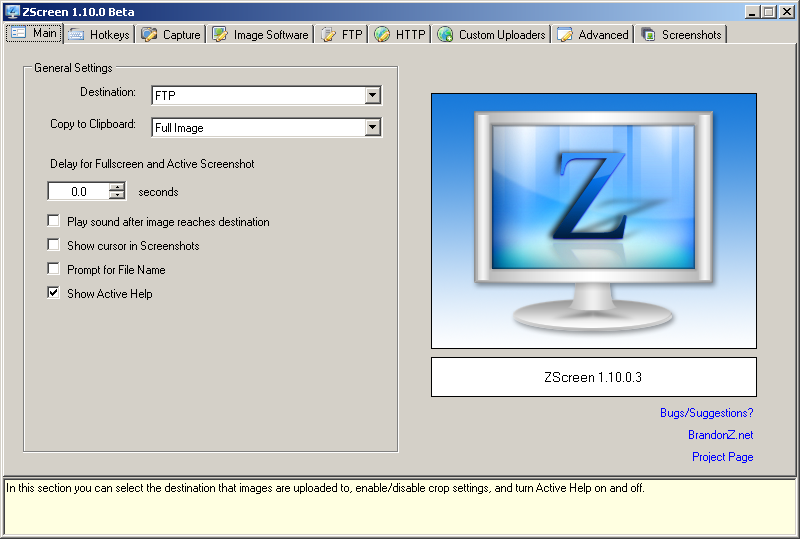
Features:
- Multiple-monitor support
- Support for uploading screenshots to Tinypic and Imageshack
- Support for uploading to custom places (via HTTP)
- Allows you to add Watermarks to your images.
- Allows you to redo your last crop shot through a hotkey
- Add Balloon tips, sounds, and ability to show cursor in screenshots
- Upload images from the filesystem via Clipboard upload or Drag n Drop
Download Zcreen.
-
Extensoft Screen Capturer
Screen Capturer from Extensoft is another easy-to-use free program to grab the screenshot. In addition to images you can also capture animation using Screen Capturer.
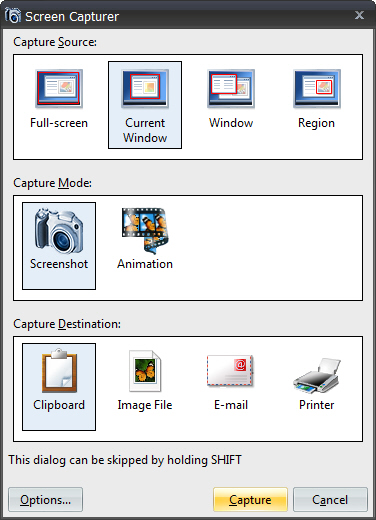
Features:- Allows you to capture full screen, current window, selected window, or a selected region
- Support several formats including in BMP, JPG, GIF, PNG and TIFF formats
- Saves captured animations in WMV format
- Creates new email with captured image attached
- Allows pasting captured images directly into email body
- Easily and instantly accessible via [PrtScr] button
Download Screen Capturer.
-
Jing:
TechSmith, the makers of aforementioned Snagit, also offers a free screen capturing software Jing. Jing is not as feature-rich as some other screen capture programs but this is whole idea behind this software. It is an excellent program for a quick screen capture or to record a screencast.
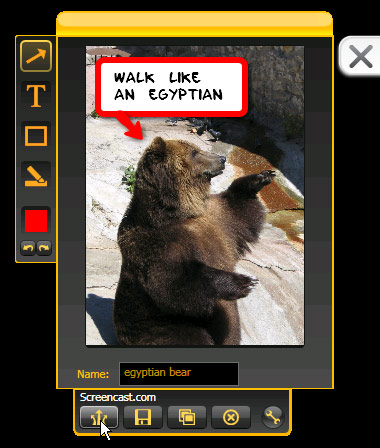
**Features:
**- Available for Windows and Mac OS.
- Click and capture. Capture by clicking Jing’s happy, always-ready “sun” icon…or pressing a hotkey of your choice. You can capture a window, pane, or region.
- Add notes, arrows, highlights, etc to captured images.
- Upload capture image to your Screencast.com or Flickr account with a single click.
- You can customize upto eight buttons to upload your images to your favorite sharing destinations.
- Allows you to copy and paste the screenshot right into an email, document, presentation. Of course, you can also save the images to your disk.
Download Jing for Windows
or for Mac-
Lightscreen is an open source screen capturing software.
Lightscreen is a simple tool to automate the tedious process of saving and cataloging screenshots, it operates as a hidden background process that is invoked with one (or multiple) hotkeys and then saves a screenshot file to disk according to the user’s preferences.
Main Features:
- Can execute at Windows startup (hidden or displaying the main window).
- System tray icon for easy access.
- 5 configurable actions, each with it’s own hotkey (screen, window, area, etc).
- Multiple image formats (PNG, JPEG, etc) and image quality selector.
- A notification when the screenshot is taken.
- Screenshot delay.
- Sound notifications
- New “Open directory” hotkey
- DirectX screenshots (experimental).
Download Lightscreen.